
User Manual - Maintenance Helpdesk Tickets ( Desktop Version)
1.0 What is a ticket
In Maintenance Helpdesk, tickets are used to track customer service requests. The first time a customer email you (or the company) about something. Each message sent between you and the customer is added to that ticket until the issue is resolved, the customer is happy, and the ticket is finally closed.
So, in a basic sense, a ticket is a thread of messages between you and a customer about a single issue.
2.0 How to create a ticket
Please follow the step below for ticket creation.
- Go to the website https://helpdesk.gloryblitz.com.my/#login
- Sign in with your user ID and password.
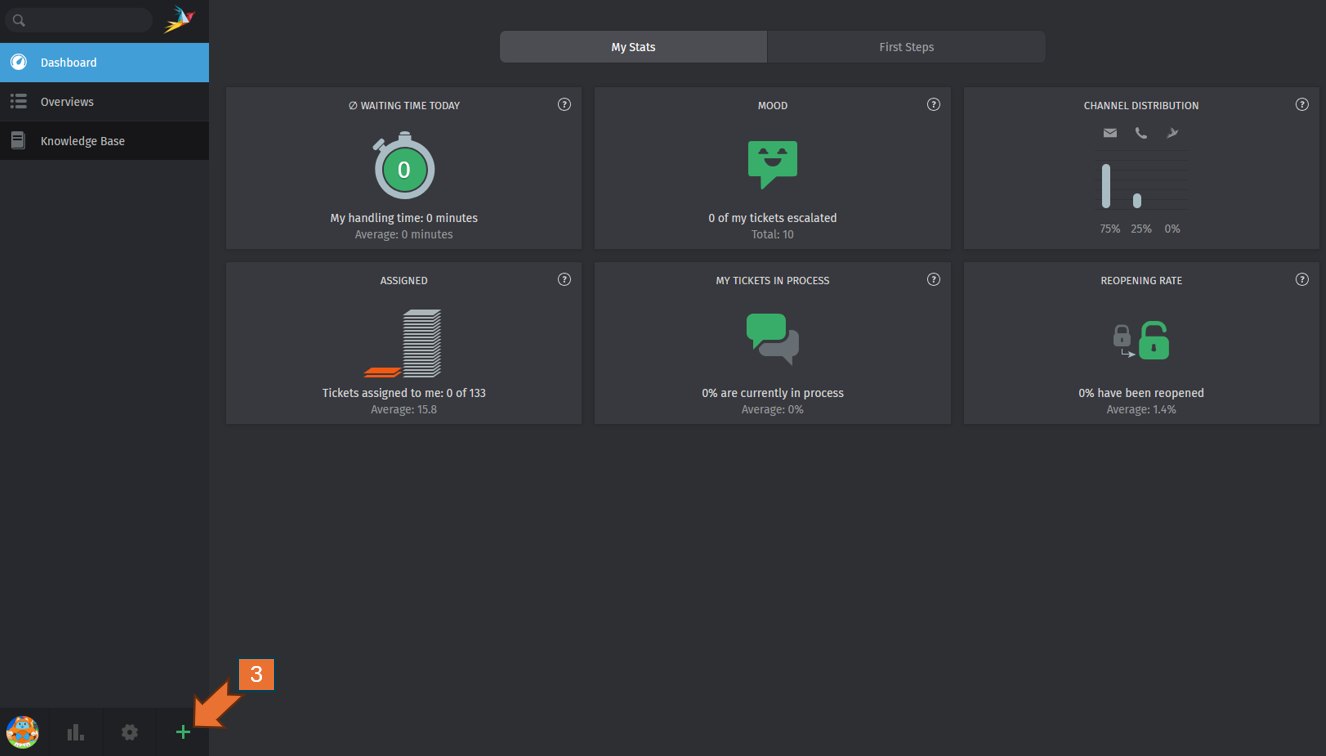
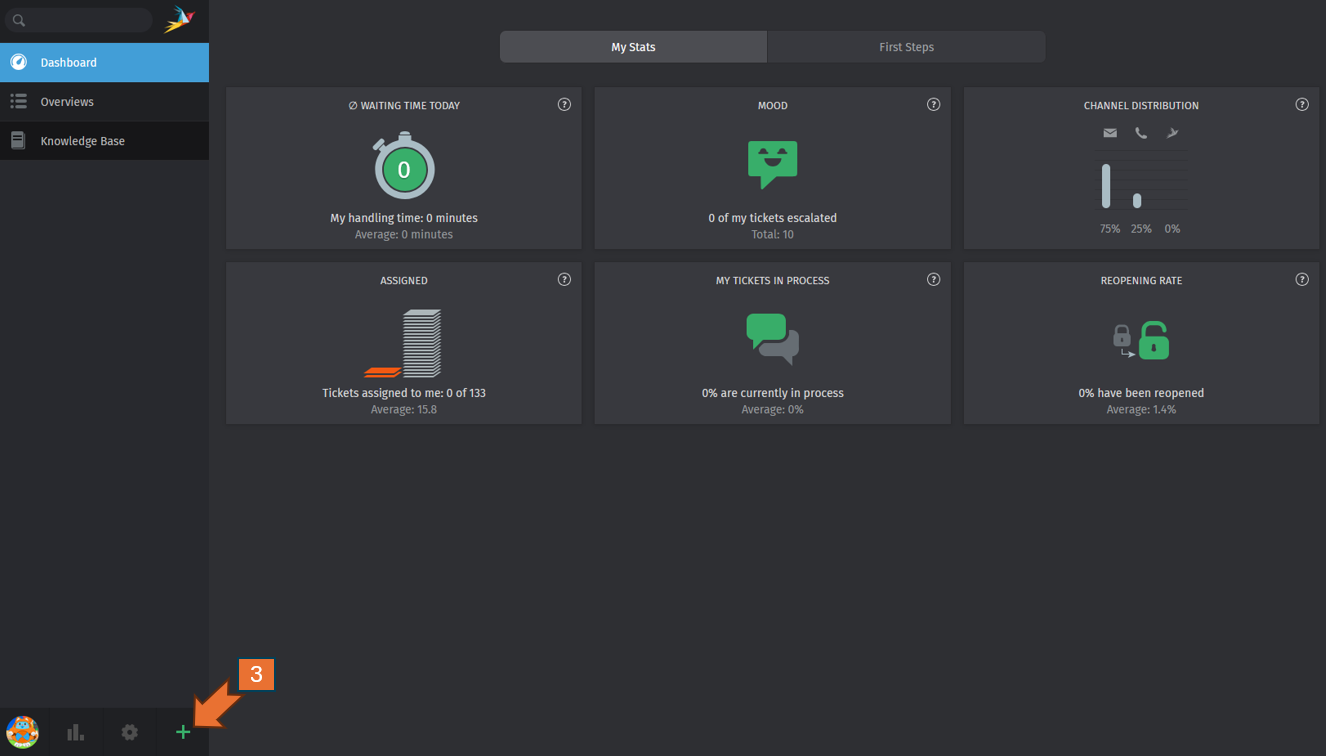
- Click the "+" button to create the new ticket.
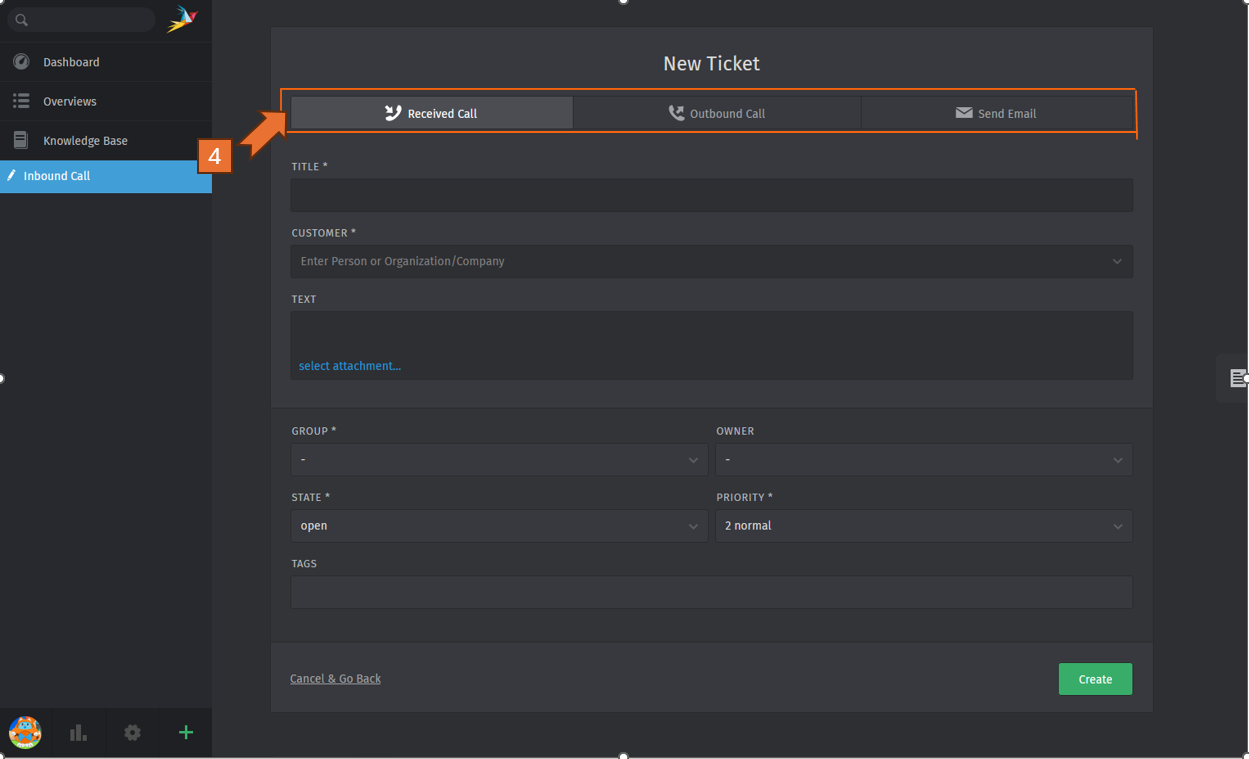
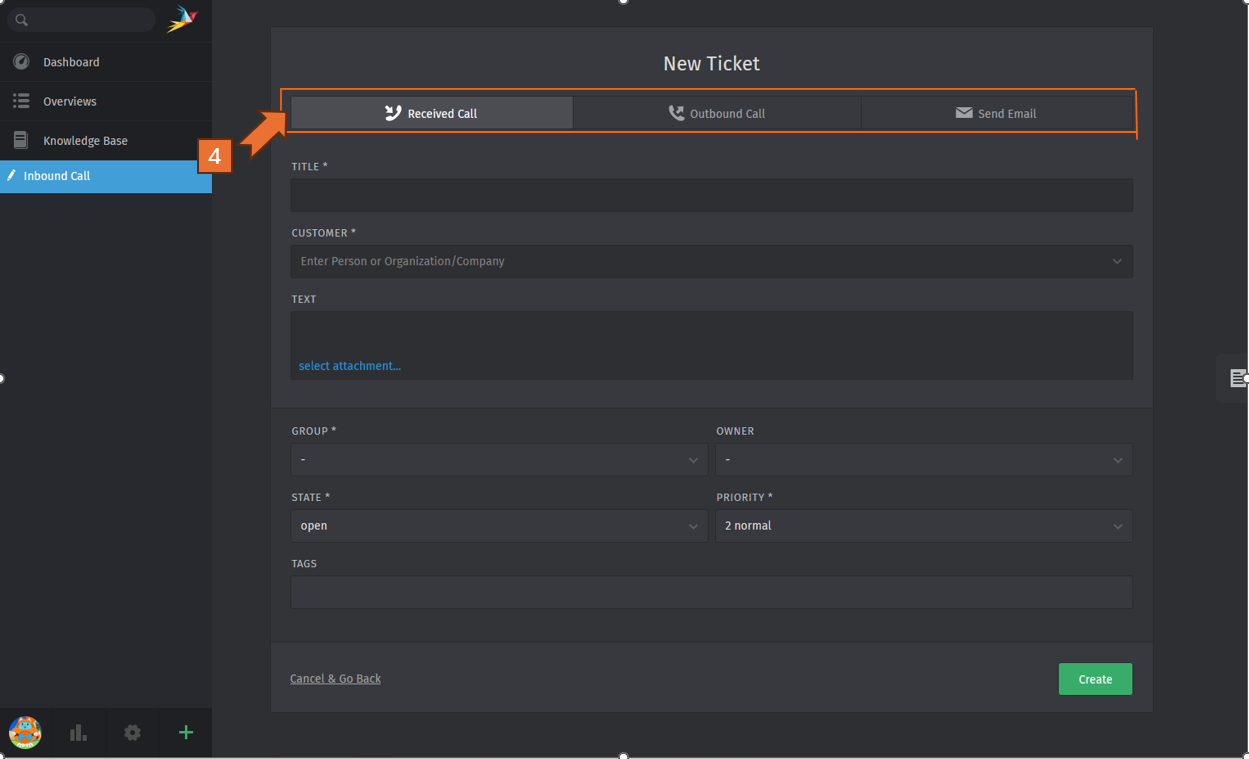
- Select one type of ticket.
Received Call for issues initiated by the tenant via phone call or instant messaging like Whatsapp etc. Outbound Call for issues initiated by people within our organization via phone call or instant messaging like Whatsapp etc.
Send Email for issues initiated by either the tenant or people within our organization over email.
-
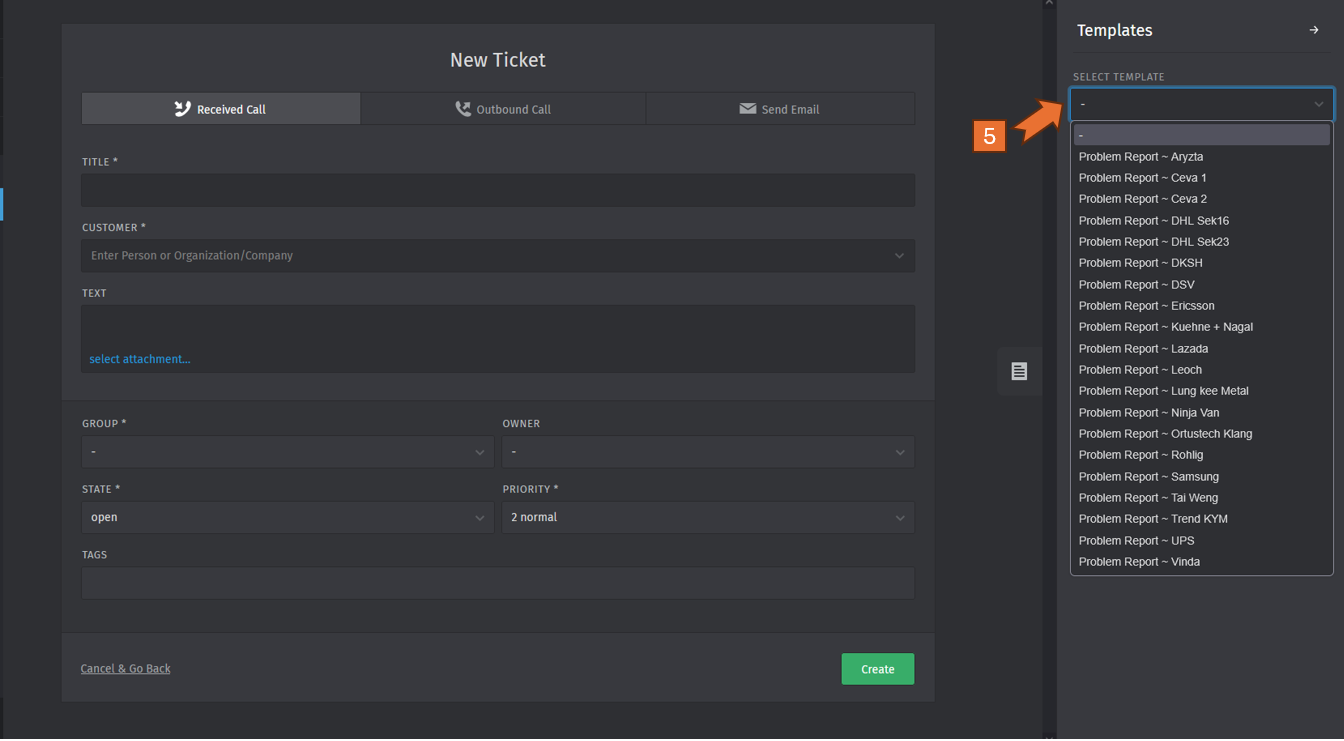
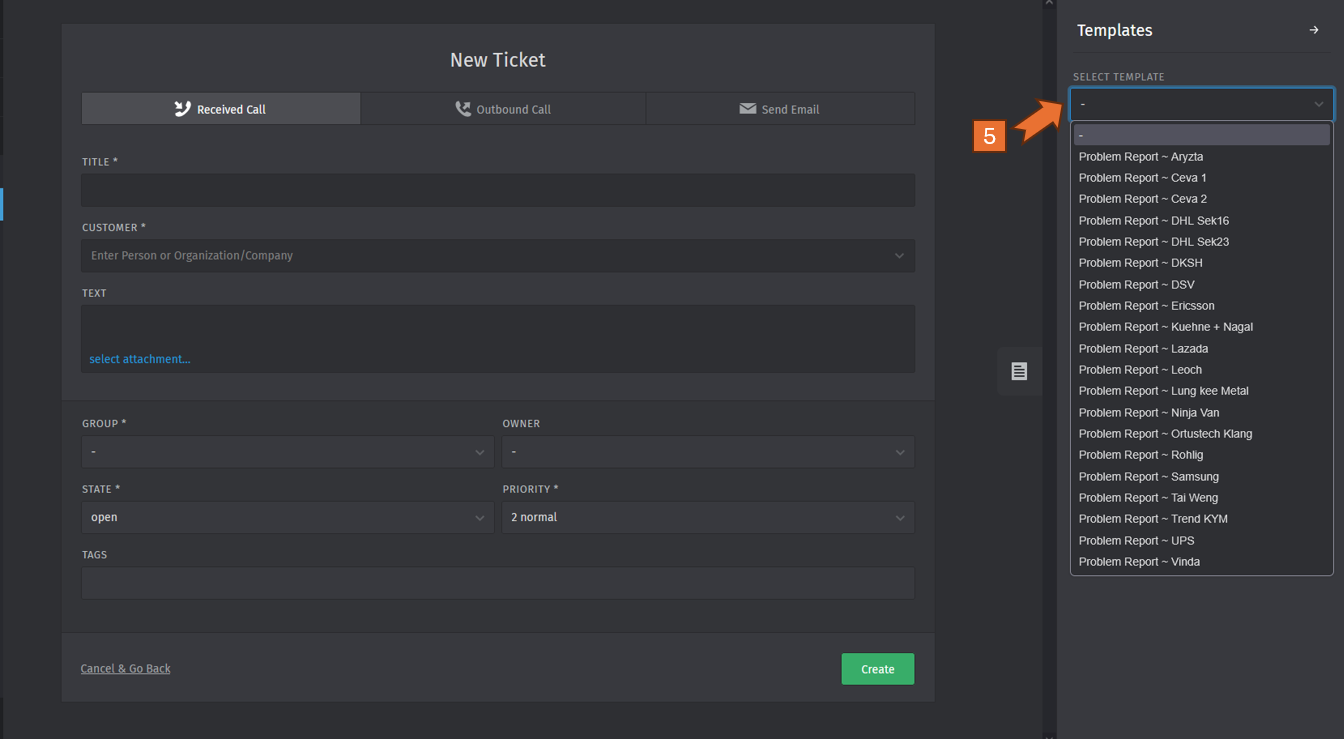
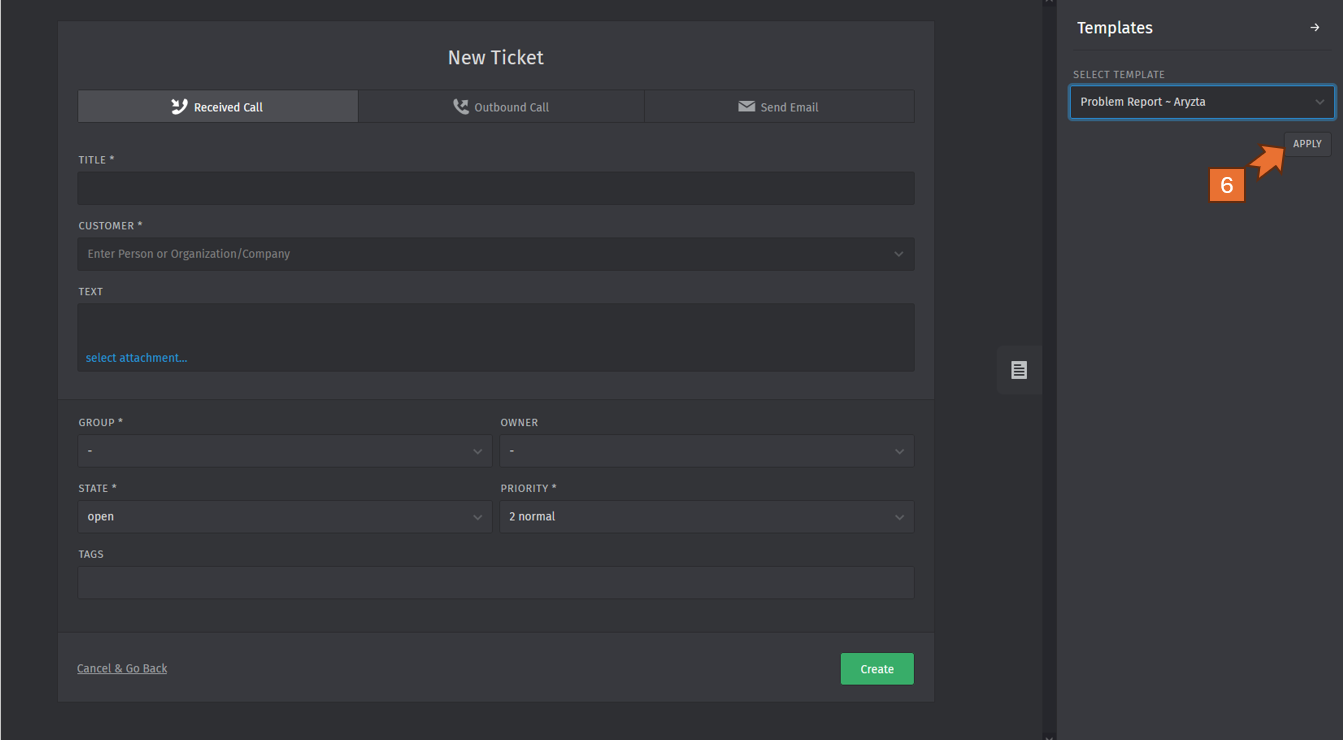
Select a template based on the name of the property (using templates simplify and standardize the process of reporting any issues).
-
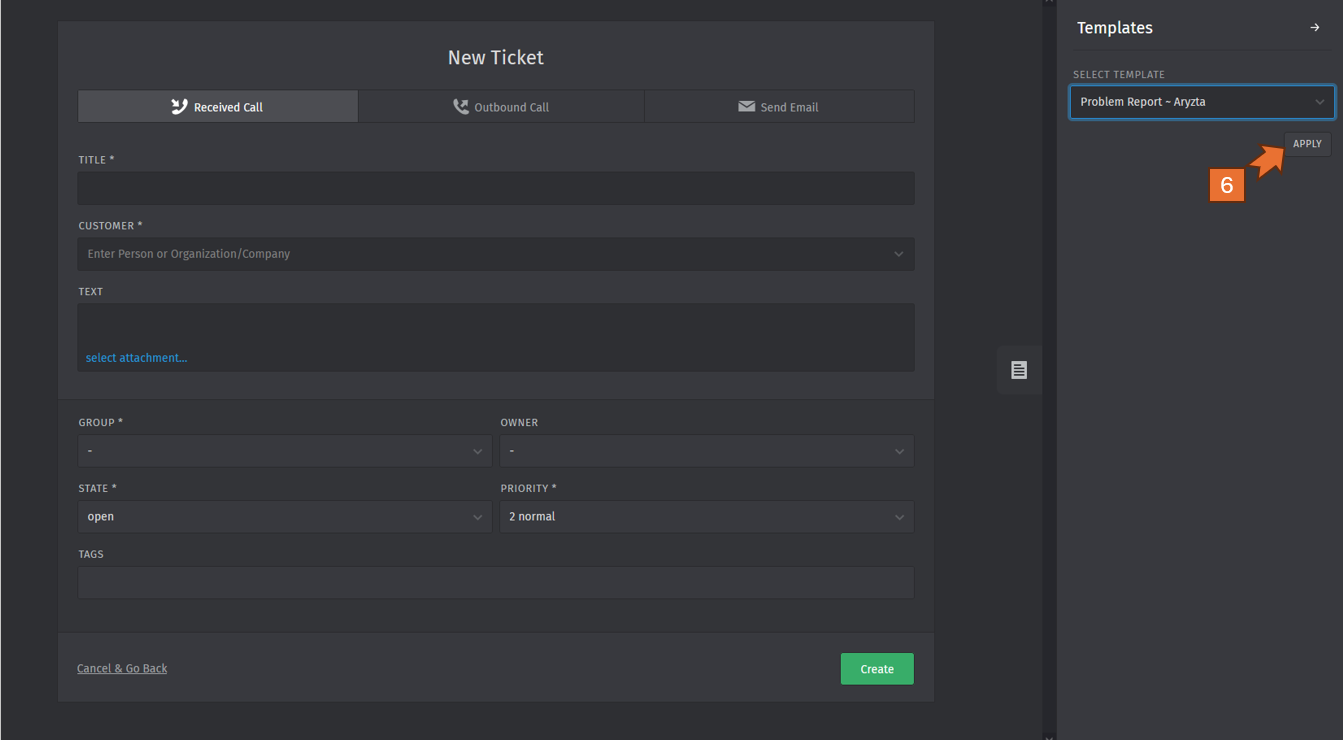
Click the button " APPLY ".
-
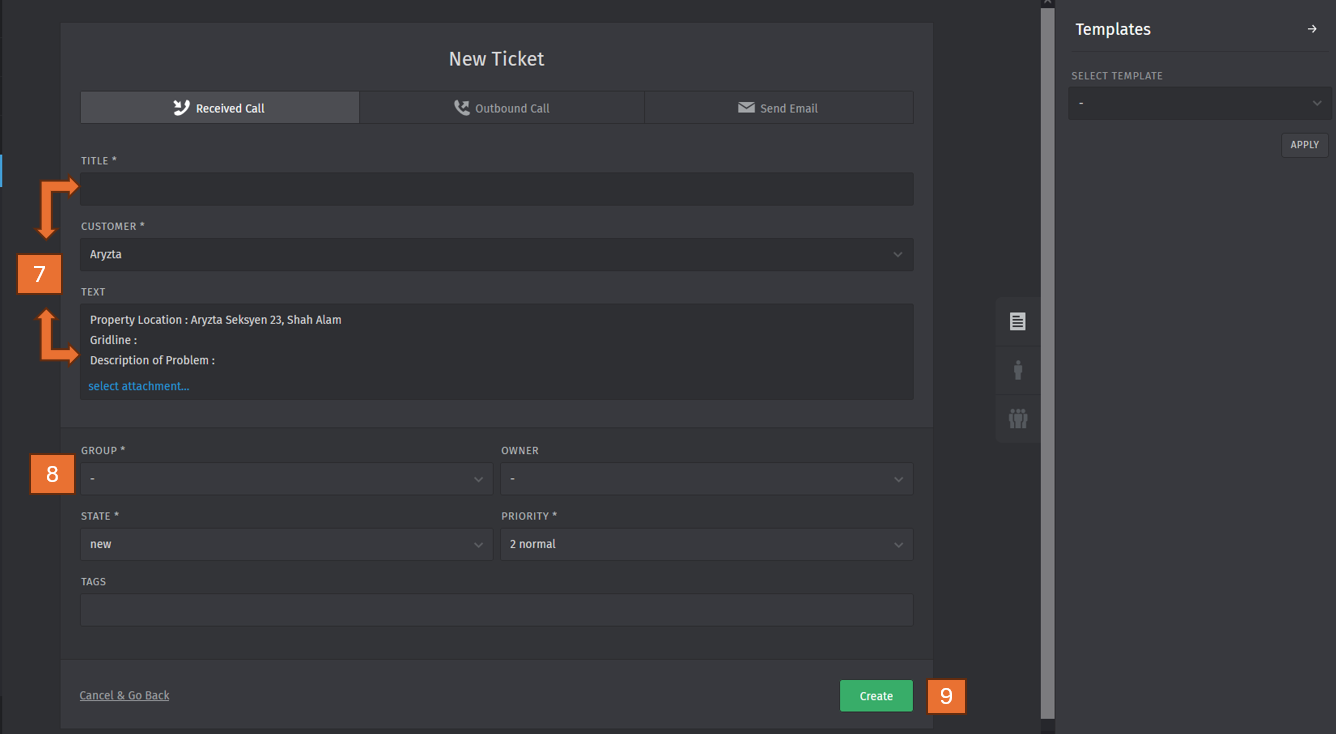
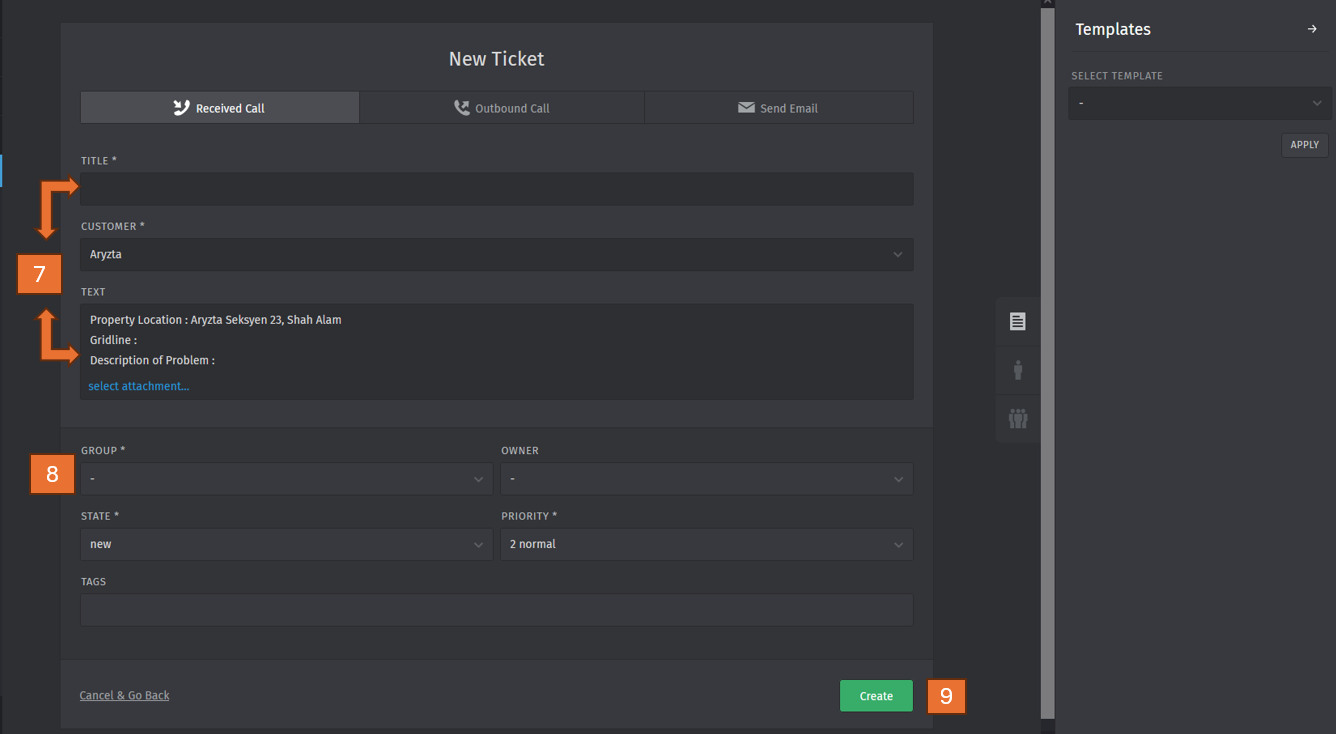
Fill in the title, grid-line , description of problem and uploading the supporting documents or photo (if any)
- Click the drop-down button for group selection.
- Click the button "Create" after completing step no. 7 & 8.
3.0 How to find and update your ticket
Please follow the steps below to find or update your ticket.
- Go to the website https://helpdesk.gloryblitz.com.my/#login
- Sign in with your user ID and password
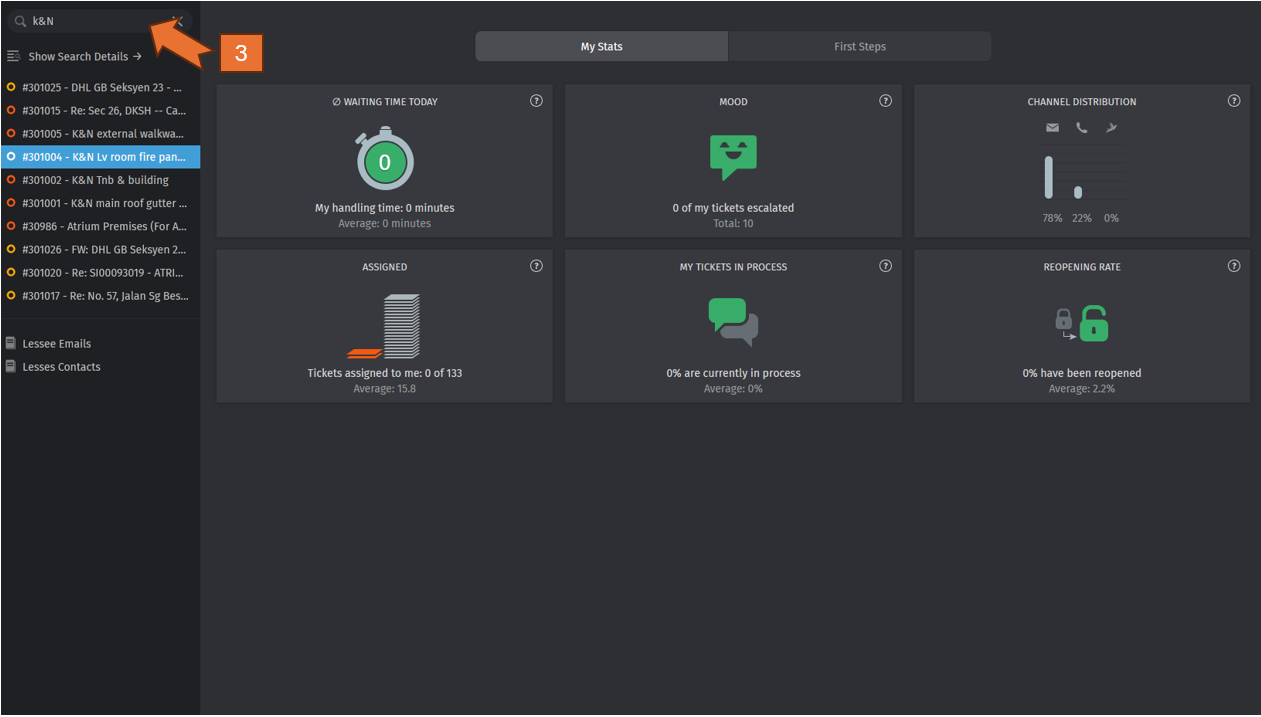
- Use the search bar to find specific tickets using keywords, ticket numbers, or other criteria.
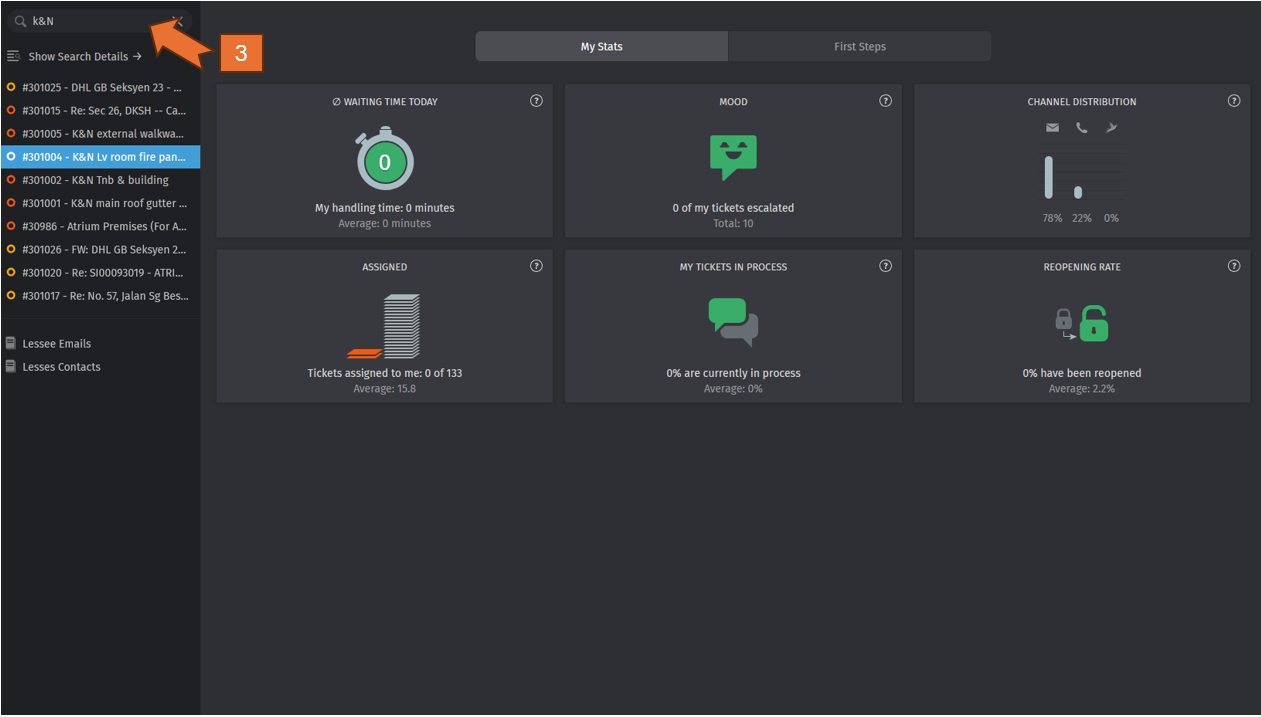
- Select the specific ticket you want to view or update.
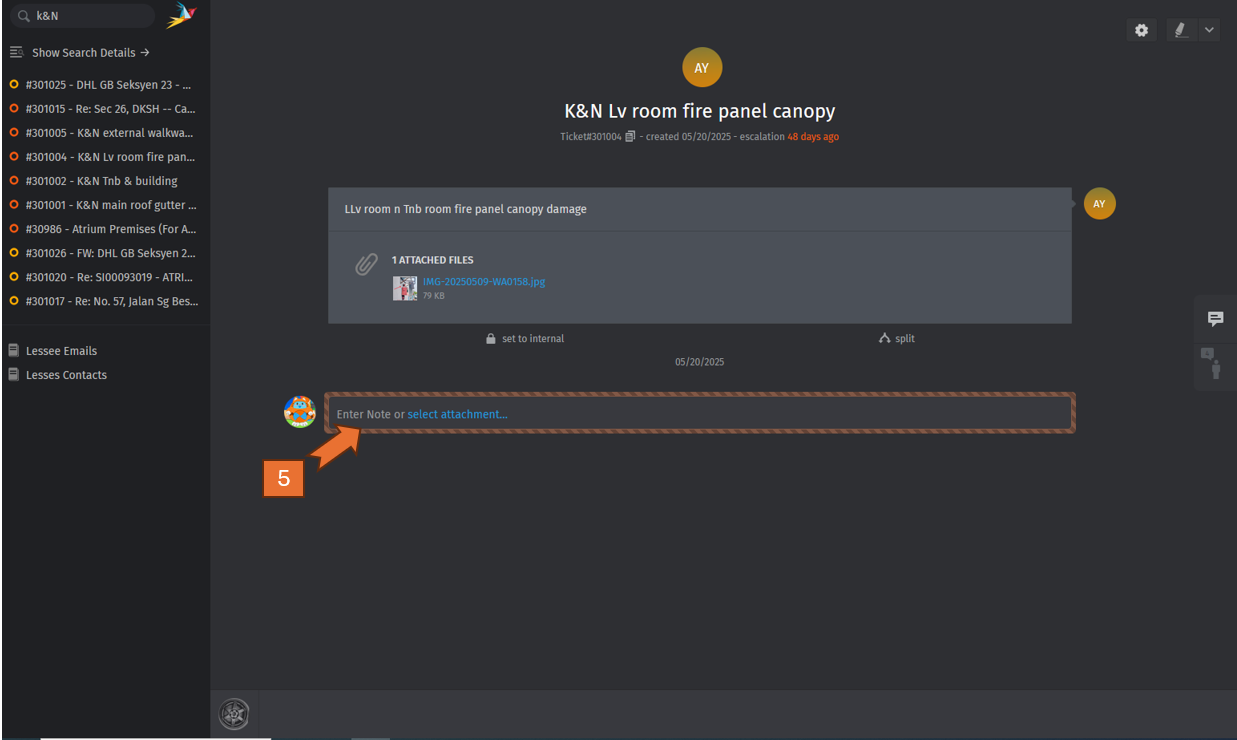
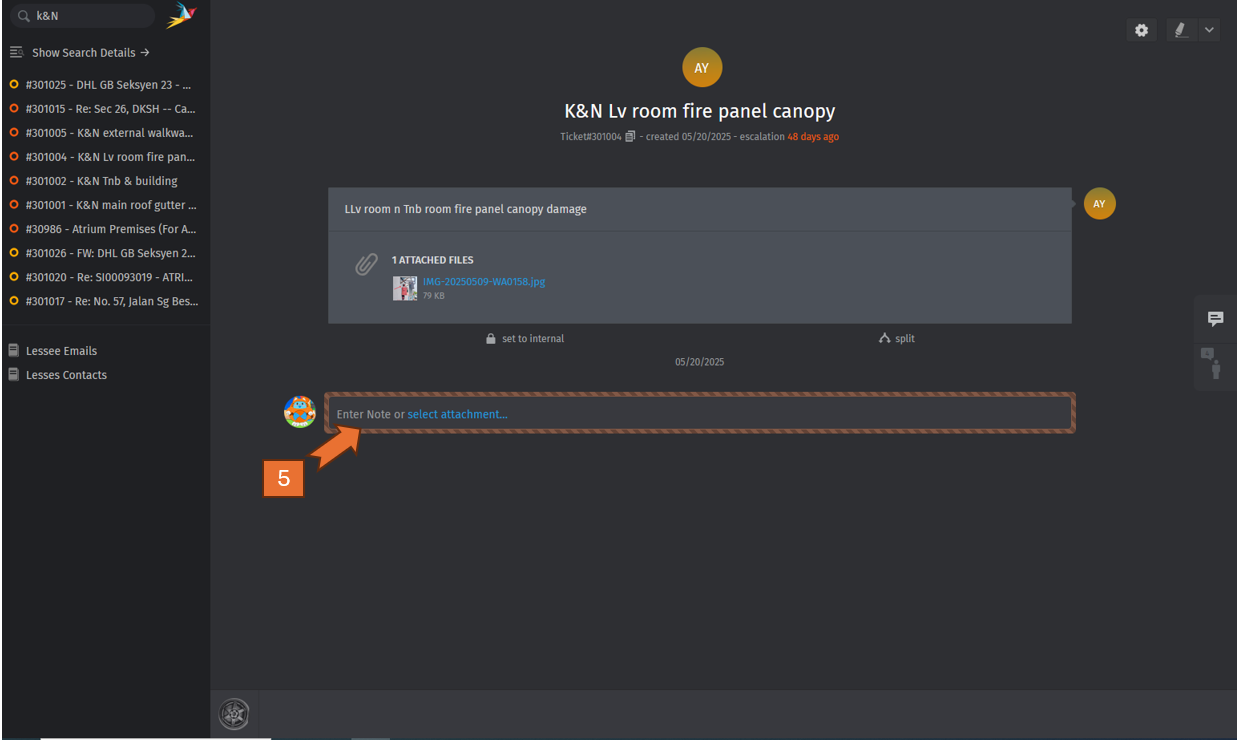
- Update the progress / status by entering a note or uploading the supporting document / photo (if any)
-
Press the keyboard " Enter" once complete step no.5
No comments to display
No comments to display